On the rare occasion that something goes very wrong and Drone-Hacks can come to your aid with our new system recovery option.
This feature performs more than just a firmware flash and should be able to get your drone back to a working state once again
NOTE: This feature is only compatible with Air2, Air 2s and FPV drones
¶ Prerequisites
You need to have Recovery Driver installed. https://wiki.drone-hacks.com/en/drone-hacks-v2/extras/installing-recovery-driver
¶ Enabling System Recovery
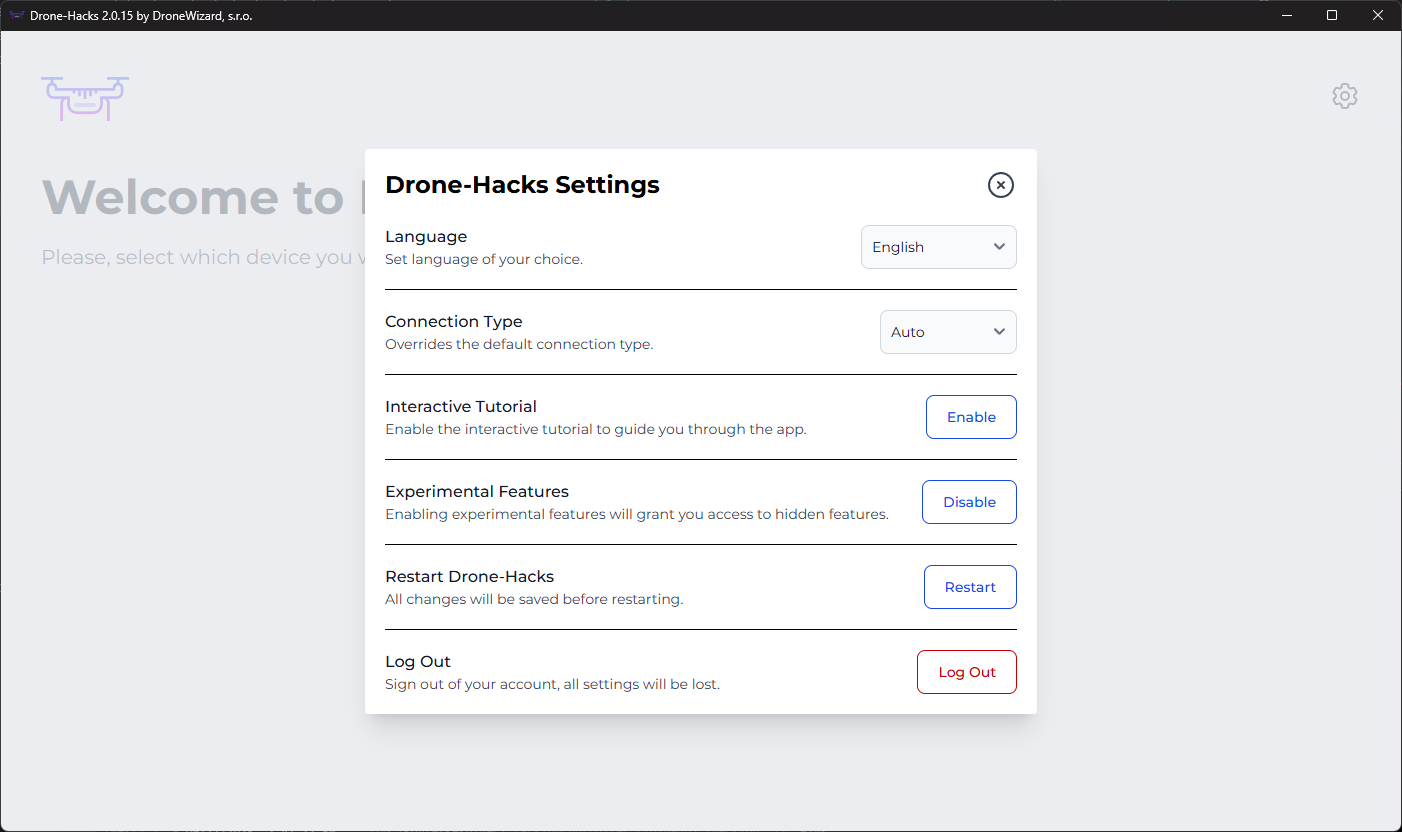
When at the “Welcome” screen in Drone-Hacks, press the setting cogwheel in the top right to open the settings menu and enable the ‘Experimental Features’ option. This will enable the System Recovery feature.
¶ Perform Recovery
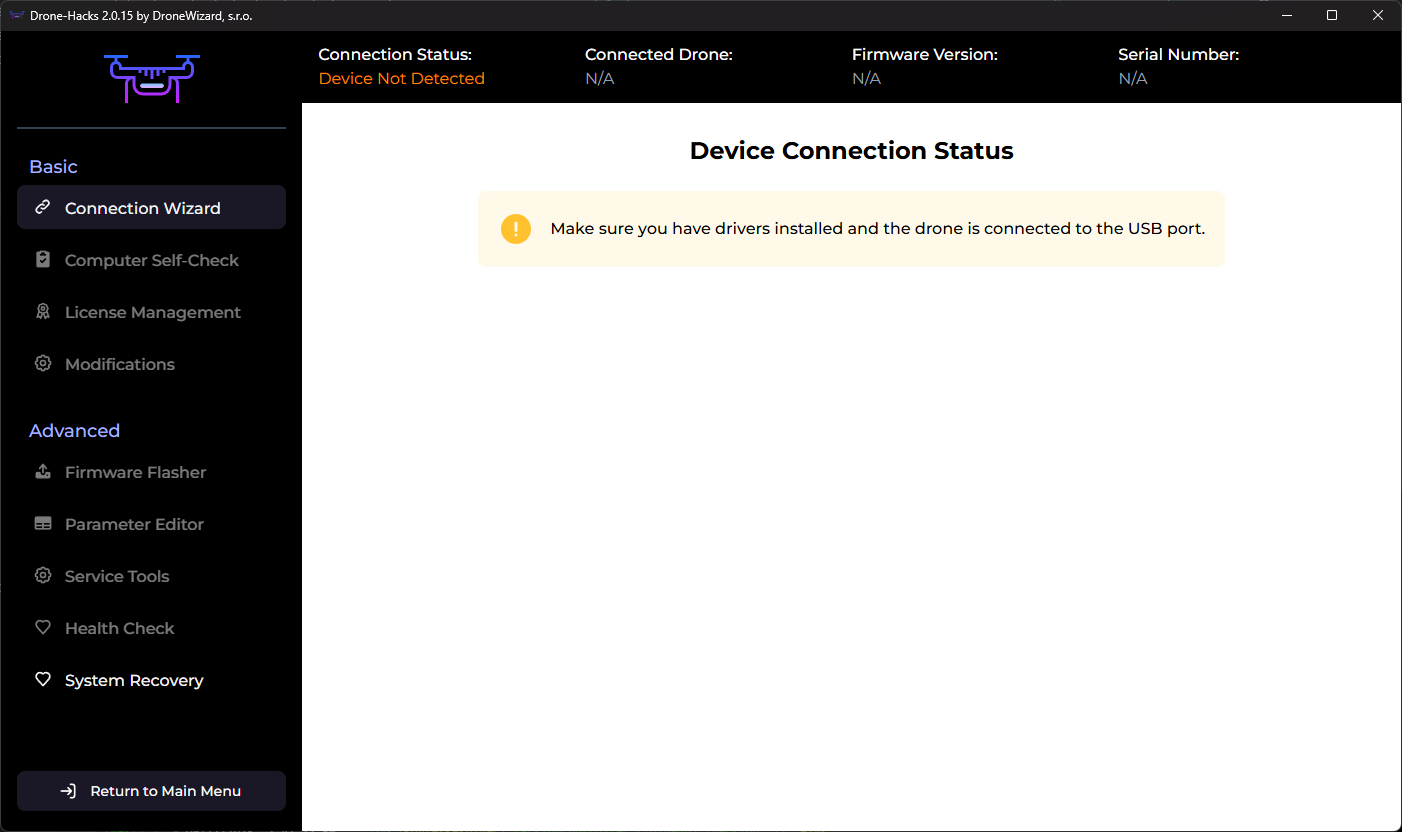
Connect your drone to the USB but do not power it on, you will see a new ‘System Recovery’ option at the bottom of the left side menu as shown here, click on this option.
Next, select your drone from the drop down and click the ‘Start’ button. Please be patient and allow for recovery to complete. Once firmware files are downloaded, you will need to power-on your drone.
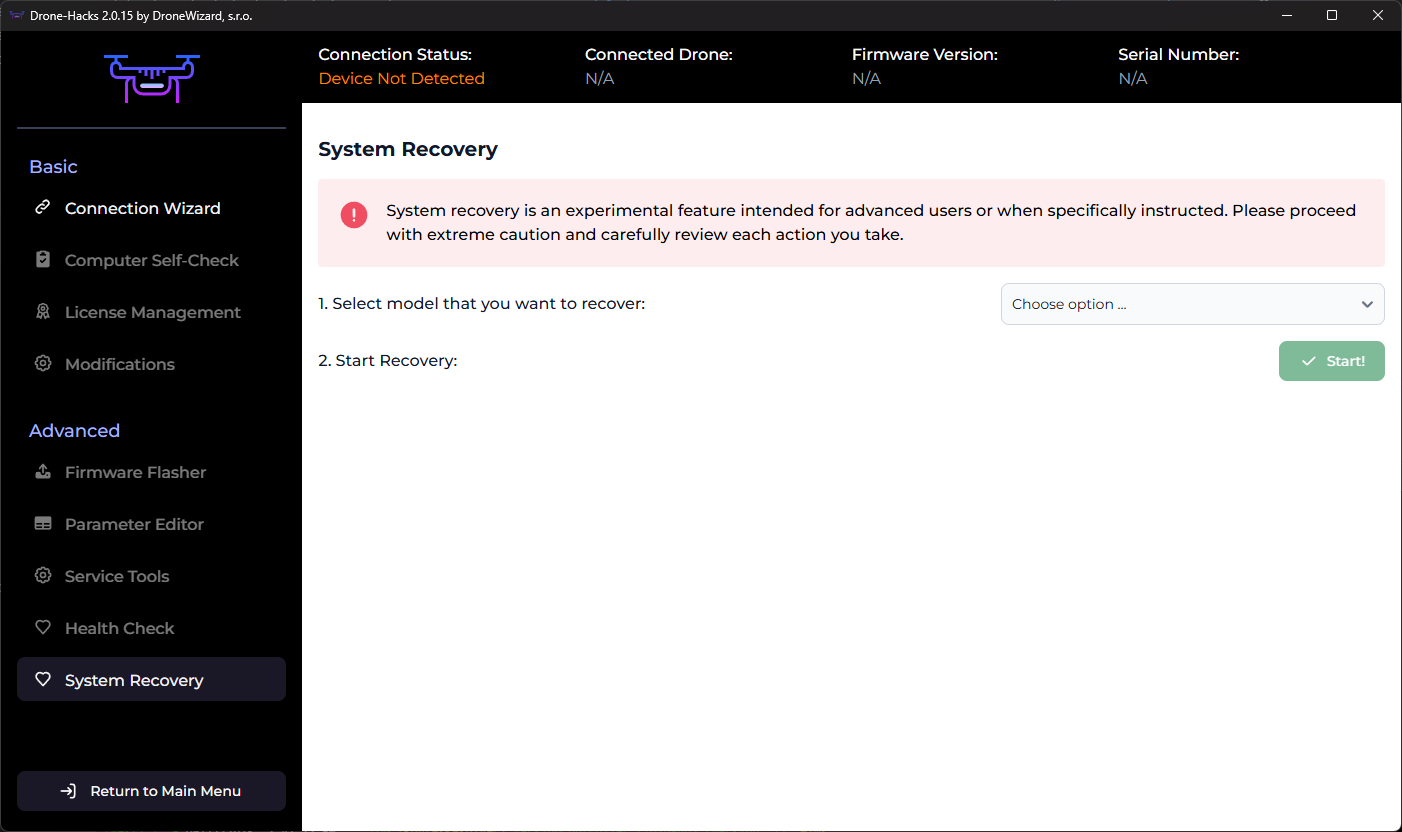
NOTE: As stated in the app, this feature is experimental and should not be something you just do. We advise only to use this option if instructed to do by by the Drone-Hacks support staff.