Drone-Hacks v2 now supports the removal of the vision sensor calibration error for the following models:
- Mavic 3
- Mavic 3 Cine
- Mavic 3 Classic
- Mavic 3 Pro
- Mavic 3 Pro Cine
- Mavic 3 Enterprise (including Thermal and Multispectral)
- Air 3 (Please verify compatibility before purchase, as it may be affected by the DJI Firewall block)
¶ ‼️Compatibility Warning for DJI Air 3 ‼️
This only applied to DJI Air 3 model! Mavic 3 series are not affected!
On January 7 at 7:59 AM (China Standard Time), DJI forced out an update via DJI Fly, The update occurs automatically and cannot be disabled & It affects both the installation and uninstallation of any hacks. DJI FLY continuously checks for this update and installs it without user intervention.
As a result, we temporarily suspended purchases of hacks for this drone. They are now available again, however, only users who have not received the DJI hot-patch are eligible to purchase it.
To check if you are affected and to purchase the hack:
- Turn off your RC
- Download Drone-Hacks v2.
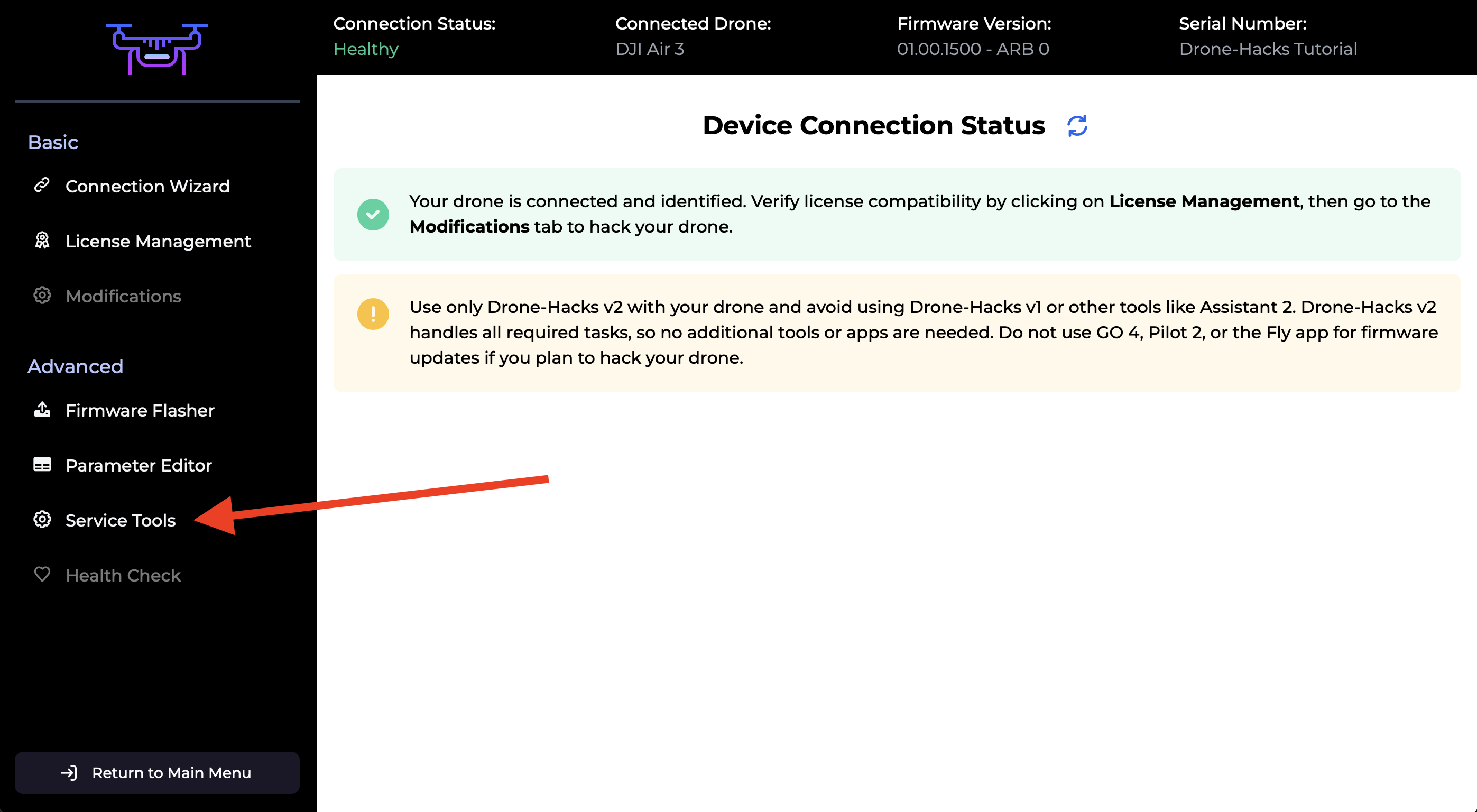
- Navigate to "Service Tools"
- Click on "Purchase New License."
A small check will run, this takes just a few seconds. If you are unaffected by the DJI patch you will be allowed to purchase a license.
NOTE: You must keep your RC disconnected until hacks are applied otherwise the DJI patch will be downloaded and you will be unable to hack. If the hacks will fail to apply, contact support and wait for their response, do not connect RC to your drone!
If you are affected by the patch, unfortunately, there is no solution at the moment, and you will need to wait for further updates.
After running any hack (including vision sensor calibration), the drone will contain our patch that prevents DJI from applying the firewall rules. Stay offline if possible while flying!
¶ Connect Your Drone
Connect your drone to your PC using the included USB cable. After a few moments the drone should be detected and you will see this screen.
¶ Purchase A License
Our software will automatically verify if your firmware version is compatible. Simply click the “Purchase New License” button, and you’ll be taken to our website, where it will indicate whether your firmware version is supported. If it’s not supported, the tool cannot be used.
After purchasing the license, return to DH v2 and refresh the app to see your license appear.
Since calibration is a one-time process, the license will be removed from your account after use. If you replace your vision sensors again, a new license will need to be purchased.
¶ Running Vision Sensor Calibration
This is a quick process that takes about 30 seconds.
First, locate “Vision Sensor Calibration” under “Service Tools” menu and click the “Run Service Tool” button. The software will begin calibrating your vision sensors.
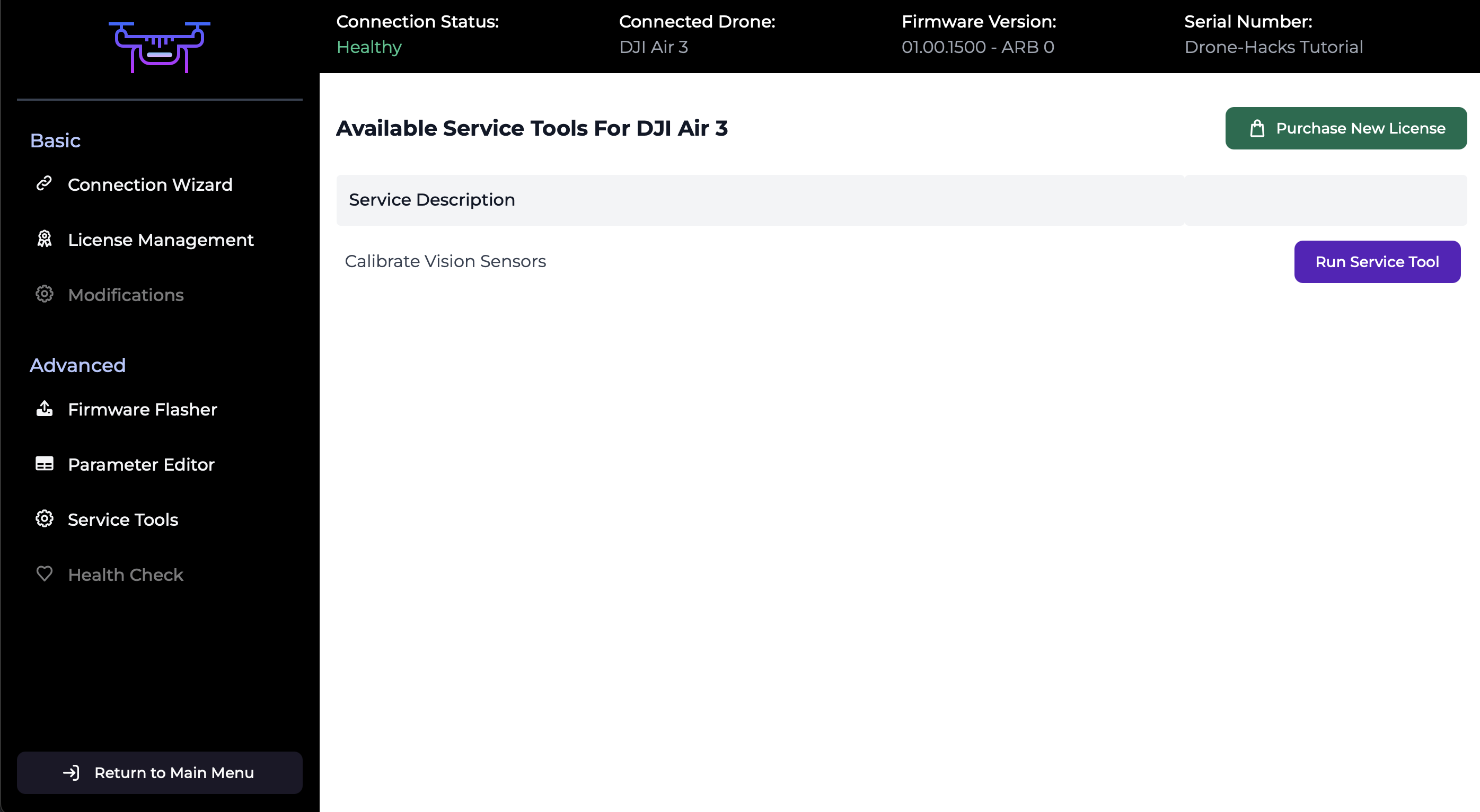
Once the process is complete, you’ll receive a success message. Reboot your drone, and the error will be gone after the required amount of flights which is approximately 15.
PLEASE NOTE:
We only calibrate the sensors to work with the drone, please use 100% new sensors to ensure your repair will work effectively. A minimal base sensor check will take place before the calibration to make sure the sensors are correct and connected fully, but we do not check for sensor errors or issues. Any issues observed with any sensor after calibration and after the recommended amount of flights are down to an issue with the sensor, which is why we instruct people to use 100% new sensors, and not ones removed from drones you may deem to be “fine to use” when there is never a guarentee any that have been removed from an alternative drone will be fine to use.